
Field guidesCover letters and Network
Write the letter, and know who you know
A cover letter builder that asks you questions instead of writing the letter for you, and a private list of the people you meet during your search. Together, they let Seisin tell you when you already know someone at the company you're writing to.
The letter
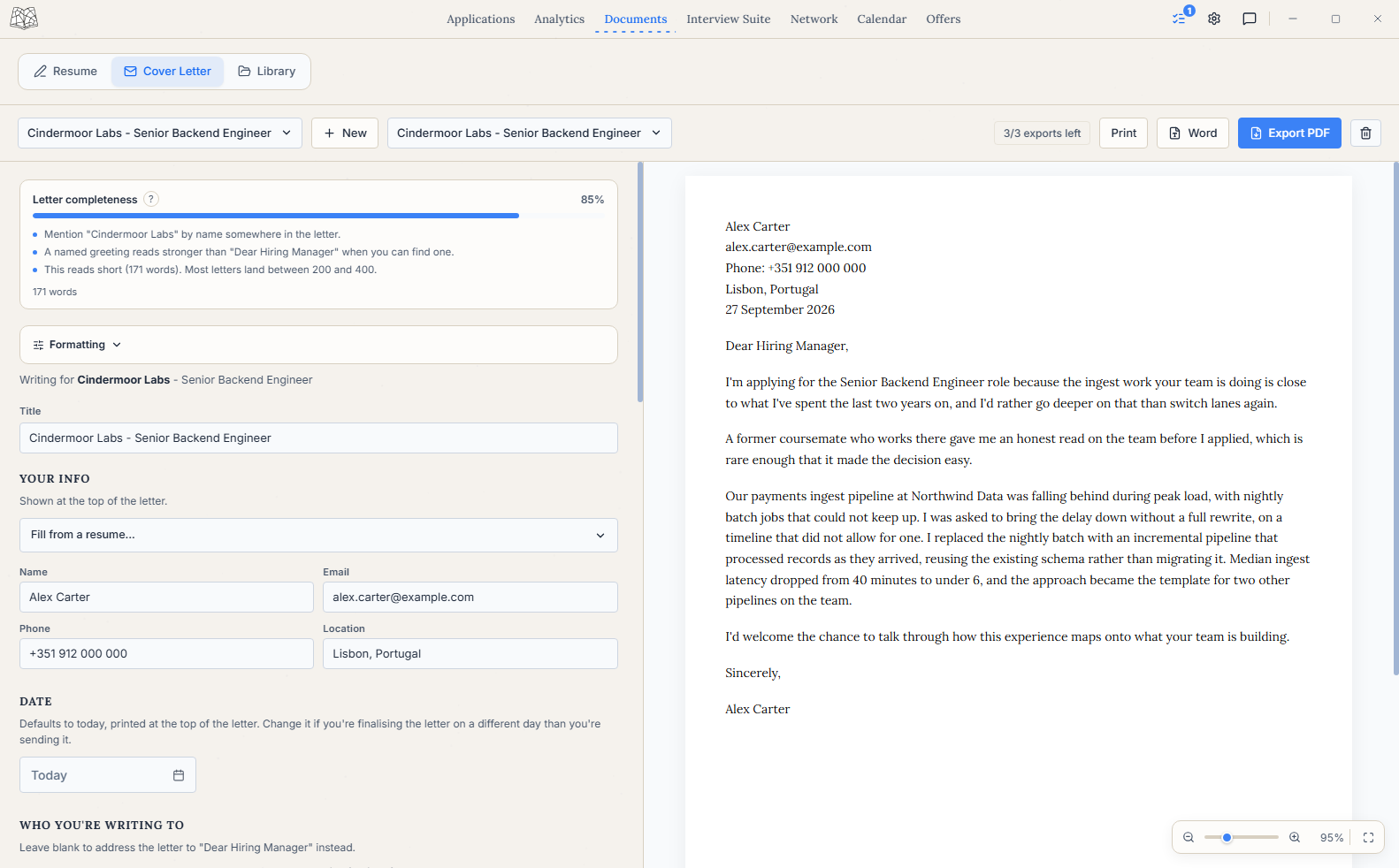
Your own words, in a sensible order
A blank page is often the hardest part of a cover letter. Seisin splits the letter into paragraphs and asks one plain question for each, so you're answering questions instead of staring at an empty document. Nothing is generated for you, and every word is yours.
The letter has a proper header with your contact details, who you're writing to and a sign-off. Each section gets a completeness check that runs on your own computer, and you can export to PDF or Word. If it would run onto a second page, Seisin tightens the spacing and text size to keep it to one page, and lets you know.
A finished letter can be attached to the application it was written for, the same way a resume is, so you can see later which letter went out with which application.
Network
The people you meet along the way
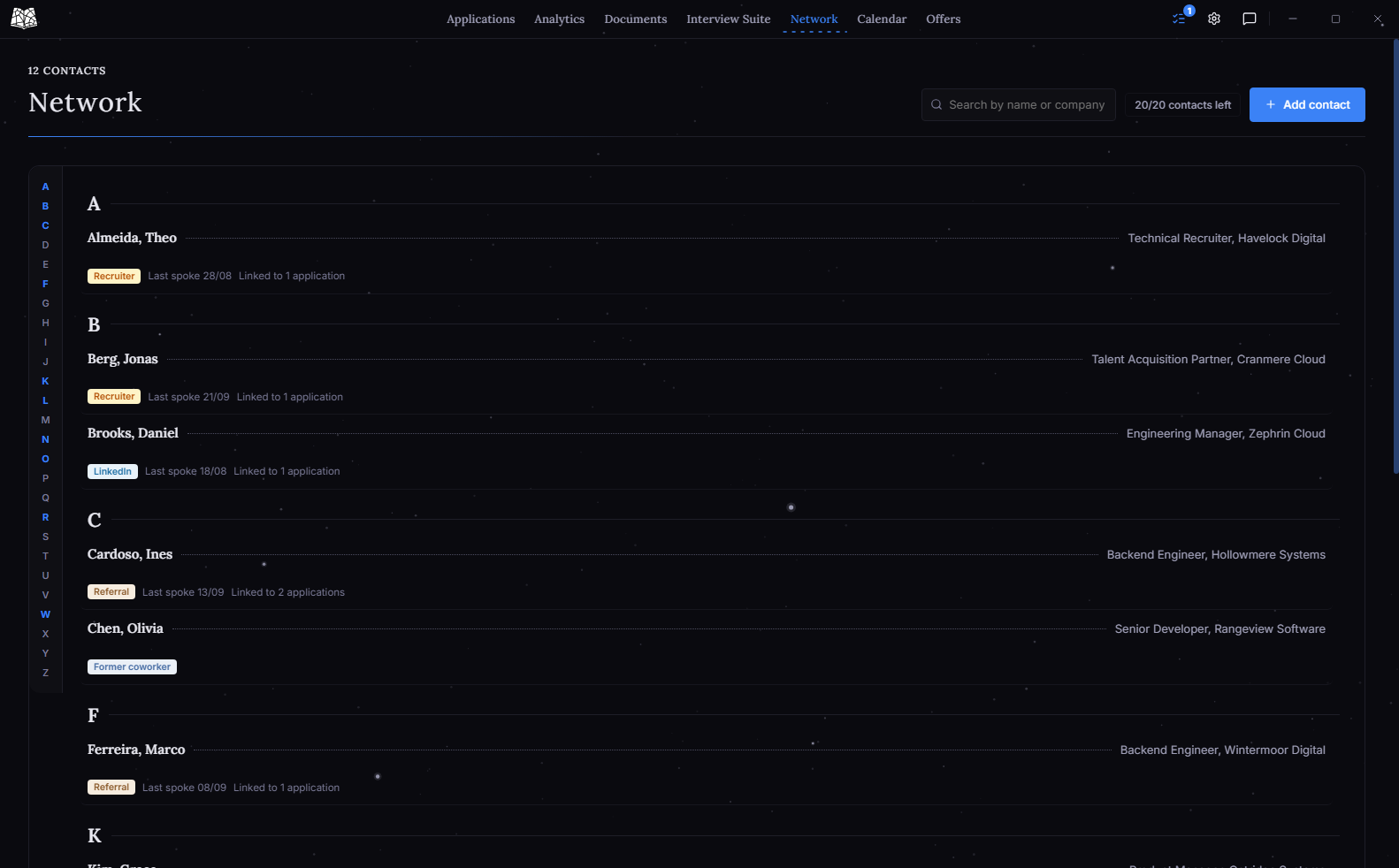
Network holds recruiters, referrals, former colleagues, people from your course and anyone else you meet. They live apart from any single application, because a contact often matters long after the role you met them about.
After a conversation, log a dated note about what was said and what you promised to follow up on. Tag a contact to an application when they become relevant to it. On the free plan a contact links to one application at a time; unlink it to link a different one.
Ines Cardoso Backend engineer, referral
- Hollowmere Systems
- Recently moved there
- 1 Sep
- Said to reach out if I ever applied there too
- Tagged to
- Cindermoor Labs, Senior Backend Engineer
Connected
Who do you already know here?
This is where your letters and your contacts meet.
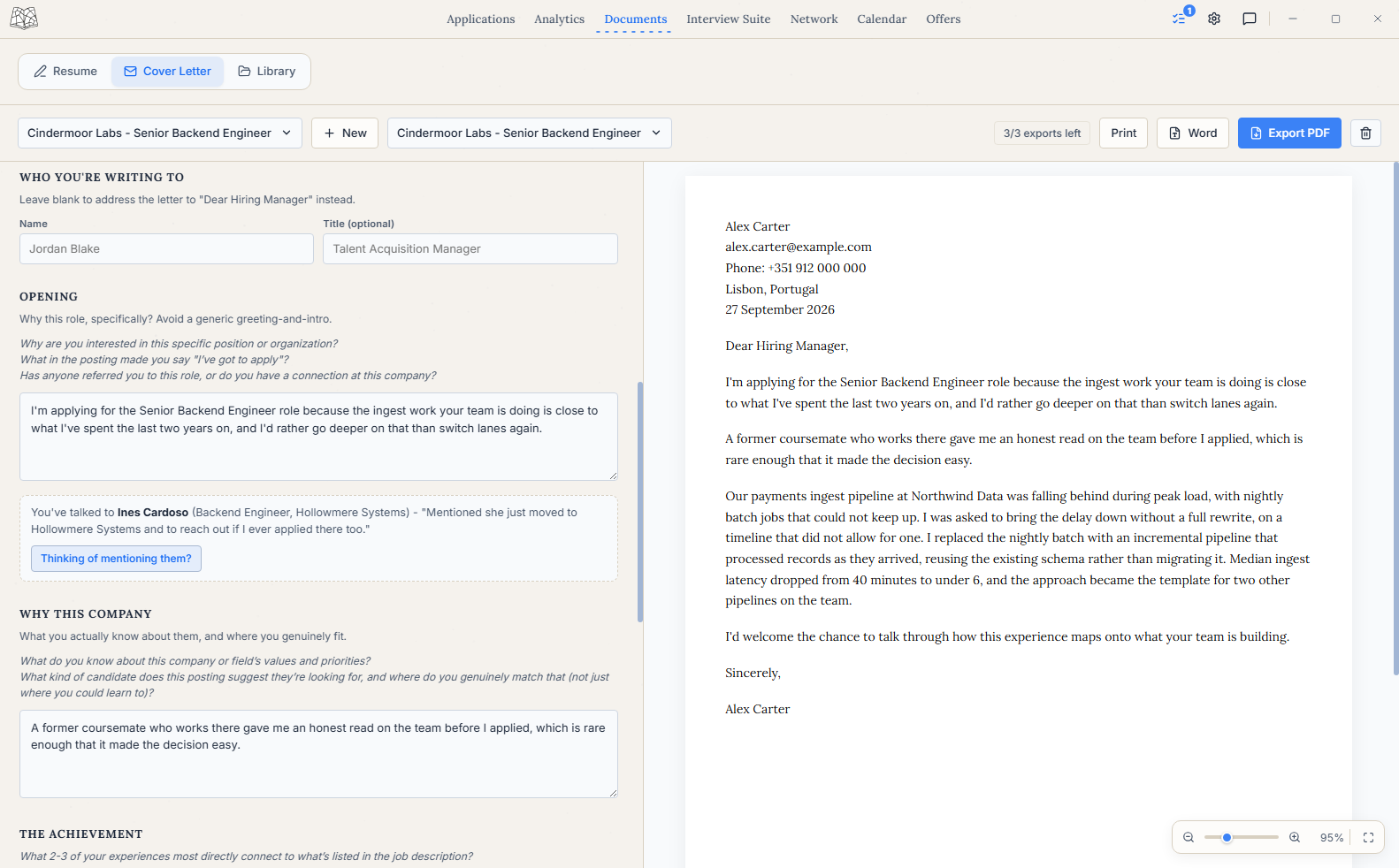
The connection shows up in two places. When you add an application, Seisin flags anyone in your Network who already works at that company. When you write a letter to a company where you know someone, that person appears under the opening paragraph with their latest note.
It's polite to ask before you mention someone in a letter, so Seisin doesn't offer wording straight away. Choose Thinking of mentioning them and it asks whether you've checked with them first. Once you say yes, it shows two example ways to refer to them, which you can adapt in your own words. Seisin doesn't write anything into the letter for you.
Free plan
Private, with a few limits
Everything here stays on your own computer. Network is the one part of Seisin that holds information about other people, and it's stored locally like everything else. Nothing is uploaded, and there's no account.
Both features are free, with a few limits. Exporting a cover letter is 3/week and exporting a resume is 10/month, whether as PDF, Word or print. Adding new contacts to Network is 20 in your first 30 days, then 5/month. All three reset on a schedule. Each contact can also be linked to one application at a time. There are no limits on saving, editing or viewing, and reaching a limit doesn't remove anything you've already made. The Your Free Plan section in Settings shows what's left and when each limit resets.
The FAQ has more on the plan and on what's coming next.