
Field guidesJob search analytics
See which channels reply
Every application you log counts towards your reply rate, weekly pace and conversion funnel. The numbers are up to date whenever you open the page.
Sources
Which channels are worth your time
Seisin records where each application came from and puts the reply rates side by side. If a channel takes up your time and never replies, you'll see it in the numbers instead of just suspecting it.
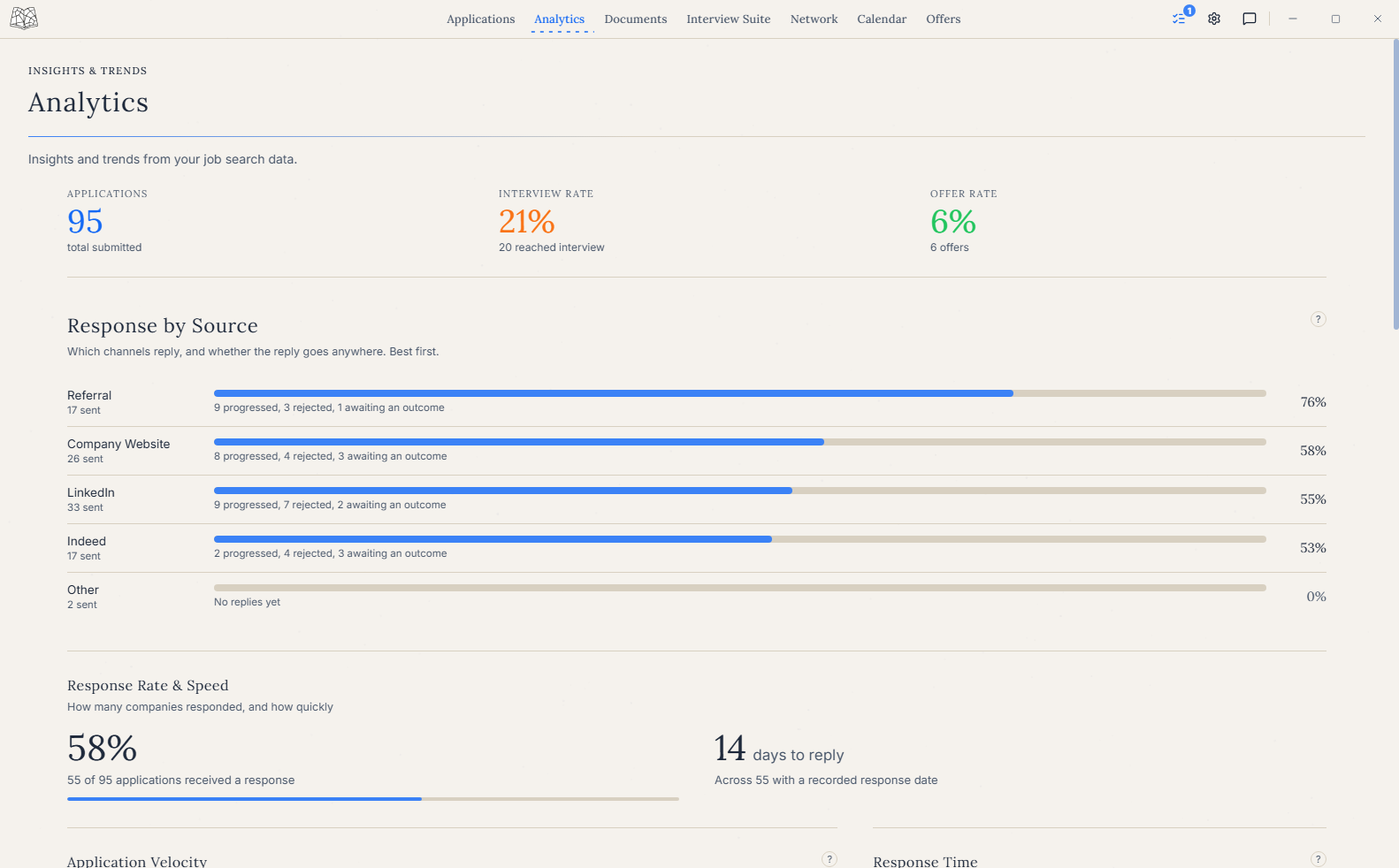 Best firstReferral
Pace
How your weekly pace is going
Weekly pace counts the applications you started each week against how many are still open. Pipeline health shows where every application sits right now. Together they tell you whether you're keeping to your own target, or slowing down while older applications wait for a reply.
 Weekly applicationsHow far applications get
Funnel
Where applications stall
The conversion funnel puts a number on each stage. It shows how many applications led to a first conversation, and whether most of them drop off at the application stage or at interview. Each calls for a different fix: the first usually points at your resume or where you apply, the second at interview prep.
In context
Every figure leads back to its applications
The analytics use the same records that hold your interview rounds, the resume you sent and any offer, so every figure is one click from the applications behind it.